

I bet you’re loving your gallery! Now let’s get those images onto your devices so you can actually use them.
Your gallery is organized into sections to make finding specific images easier once everything’s downloaded. It’ll download into labeled folders so you’re not hunting through hundreds of files later.
Want to share access with family or friends? Use the guest link to give them download access too. Now they can grab their own copies without texting you asking for photos.
Let’s get you downloading.
How to Download your Entire Gallery:
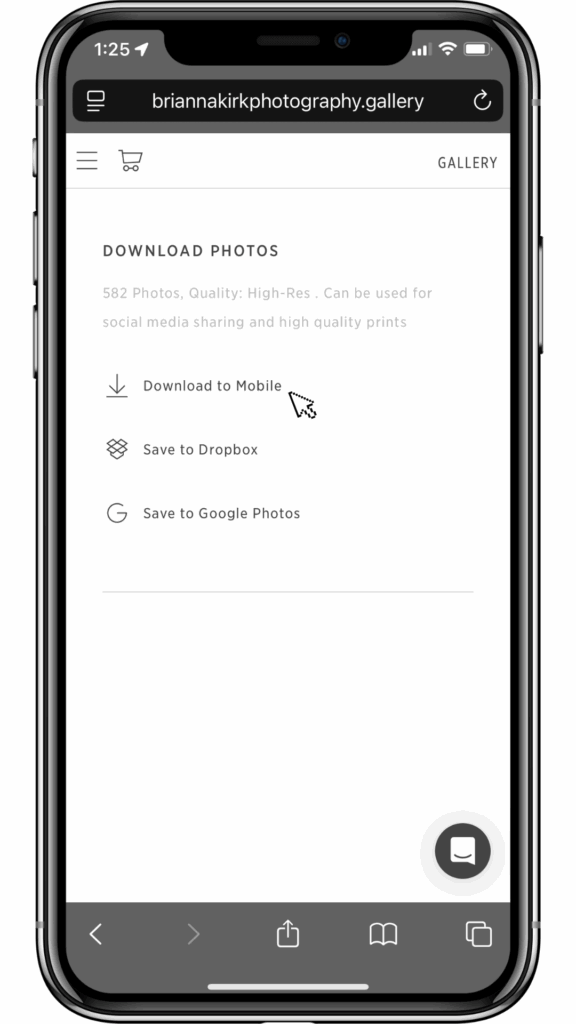
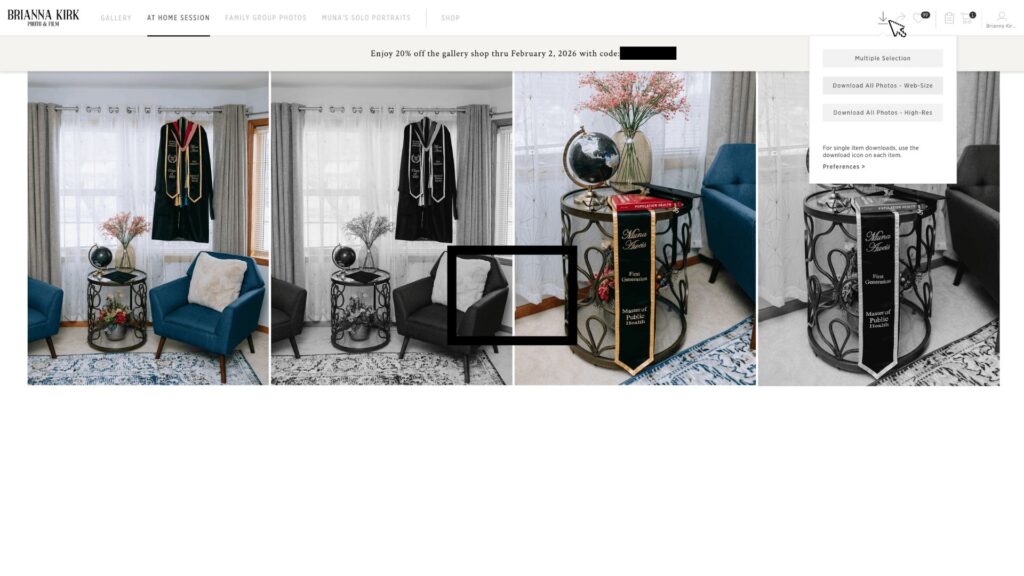
You’ll notice my galleries are hosted on PicTime. When you hit download, you’ll have to choose between high resolution and web size. You can also download all the high resolution files directly to Google Photos or Dropbox right from the gallery.
Here’s what that means:
- Full resolution: gives you the big, archival, print-ready files. Best to download on a computer desktop.
- Web size: gives you sharable files that are perfect for social media but won’t print well beyond 4×6. I highly recommend web size for your personal phone camera roll.
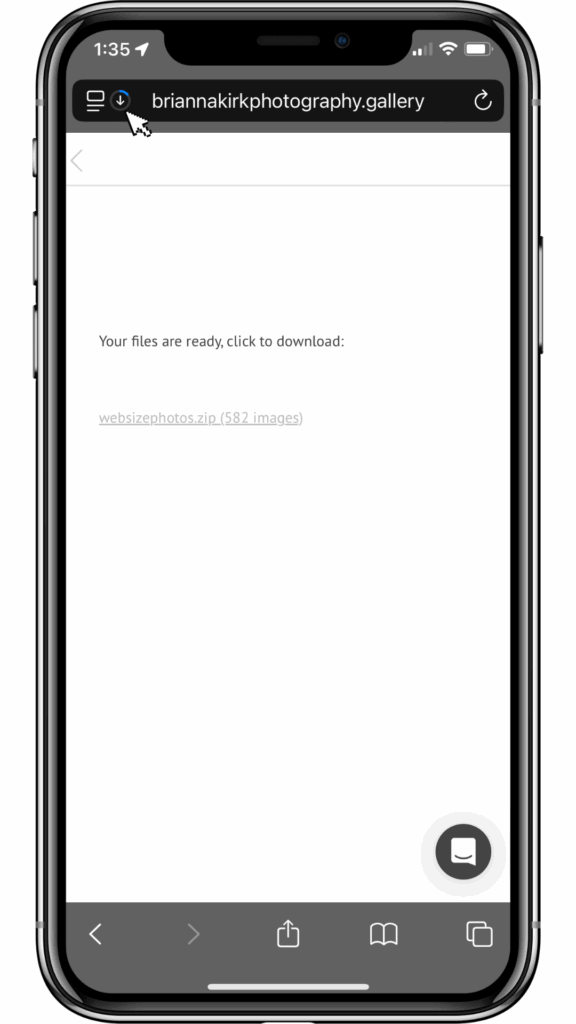
How to Download Entire Gallery to Mobile Phone:
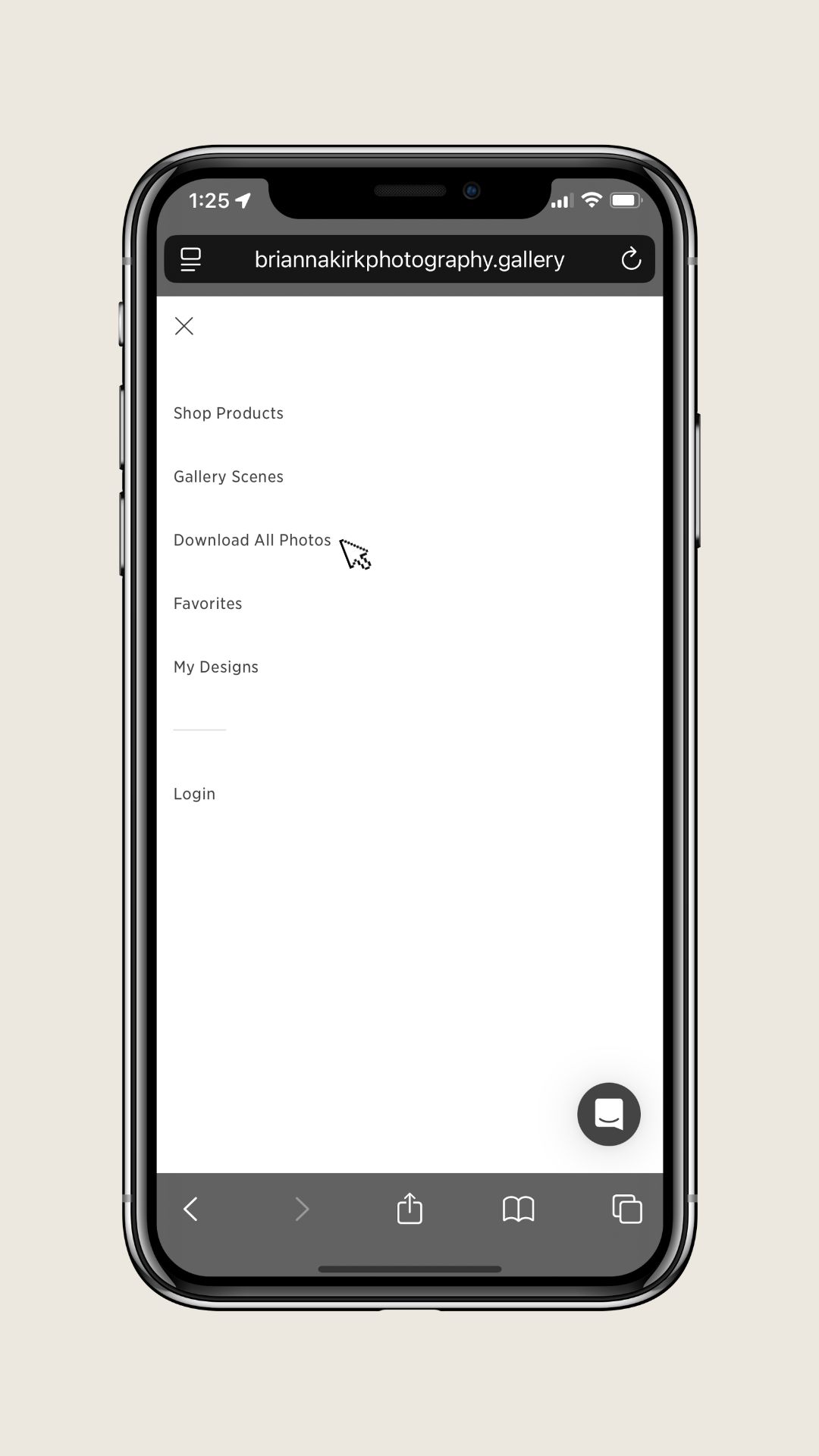
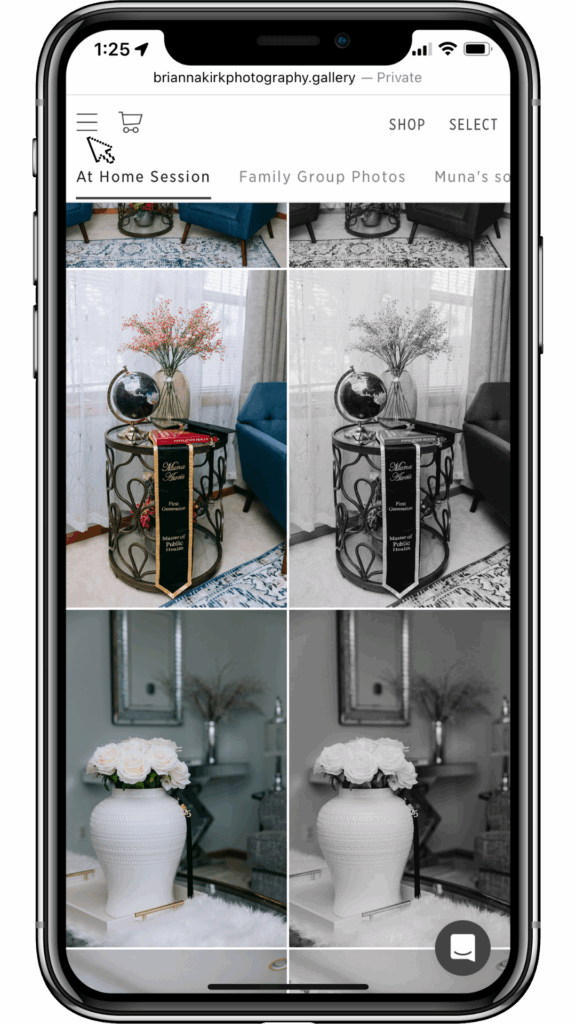
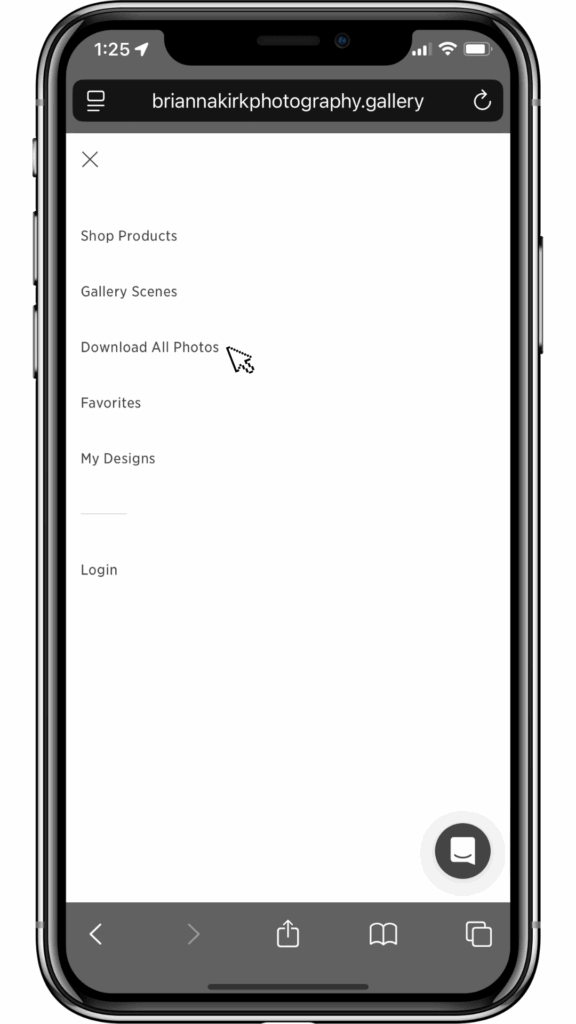
This works across all mobile devices. I’ve pictured the iOS iPhone flow here, but Android follows the same steps. I recommend downloading web-size photos to your phone since full galleries can be quite large.
To get your photos and videos onto your iPhone camera roll, then these are the steps you wanna take:




How to Download Entire Gallery to Computer Desktop:
When you’re ready to do some serious archiving, you’ll want to be on a computer to download everything at high resolution. Make sure you have between 15-50GB available on your device depending on the type of session and services you booked.


Don’t Skip This: Back Up Your Photos
You’ve downloaded your gallery. Great. Now back it up—like, actually back it up.
One copy isn’t enough. Hard drives fail, phones disappear, cloud accounts get compromised. You need multiple layers of protection so these memories stick around.
I put together a complete guide on the best ways to backup your wedding photos and videos—everything from which cloud services to use, what external hard drives won’t fail you, and why physical prints still matter in 2026. It’s the same archival approach I use for my own work.